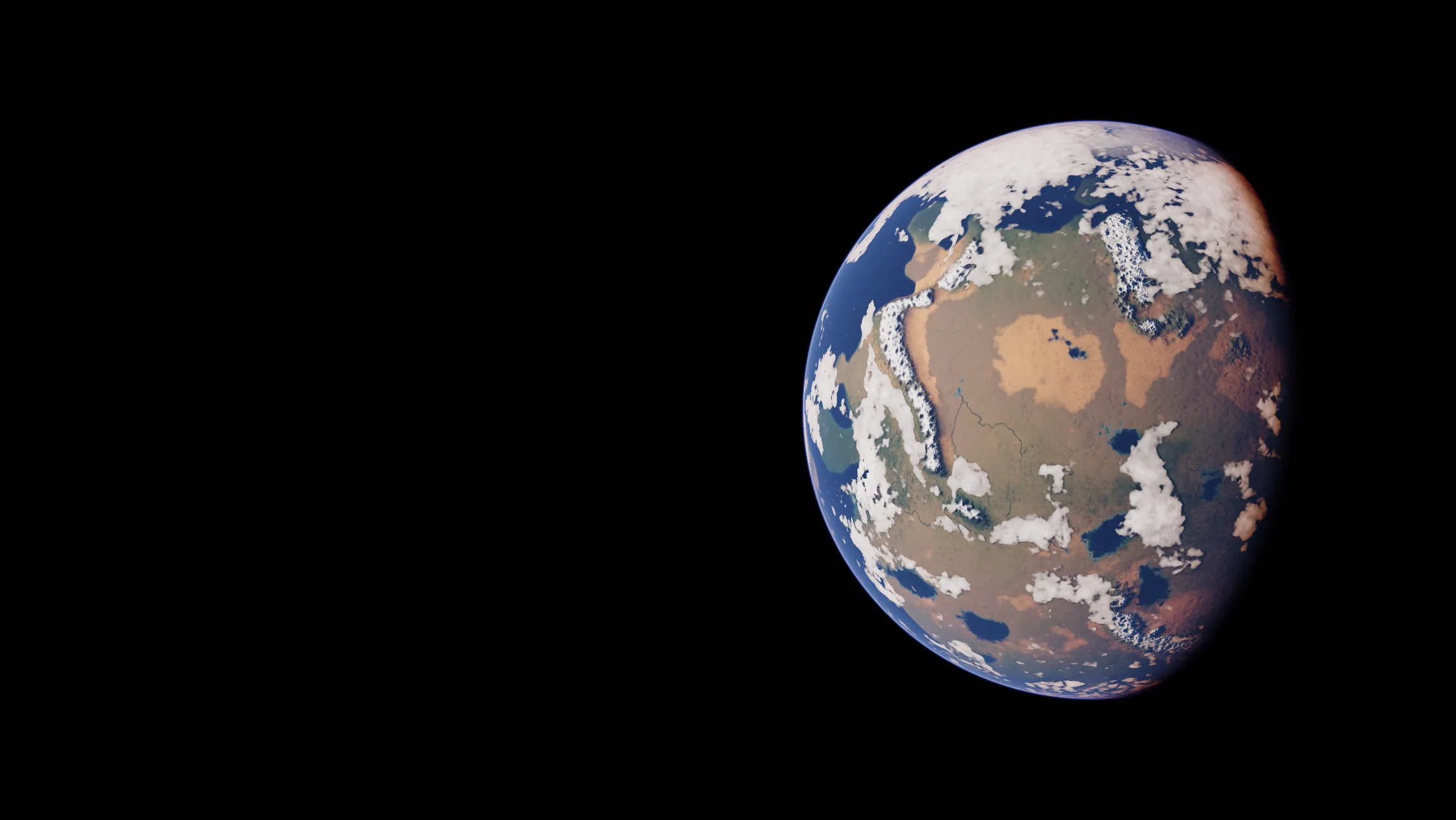
Loading Medium · 0.0 / 0.0 MB
Live preview needs WebGPU. Showing a pre-rendered image.
The preview stopped because the graphics device was reset.
The preview could not start.
What it is
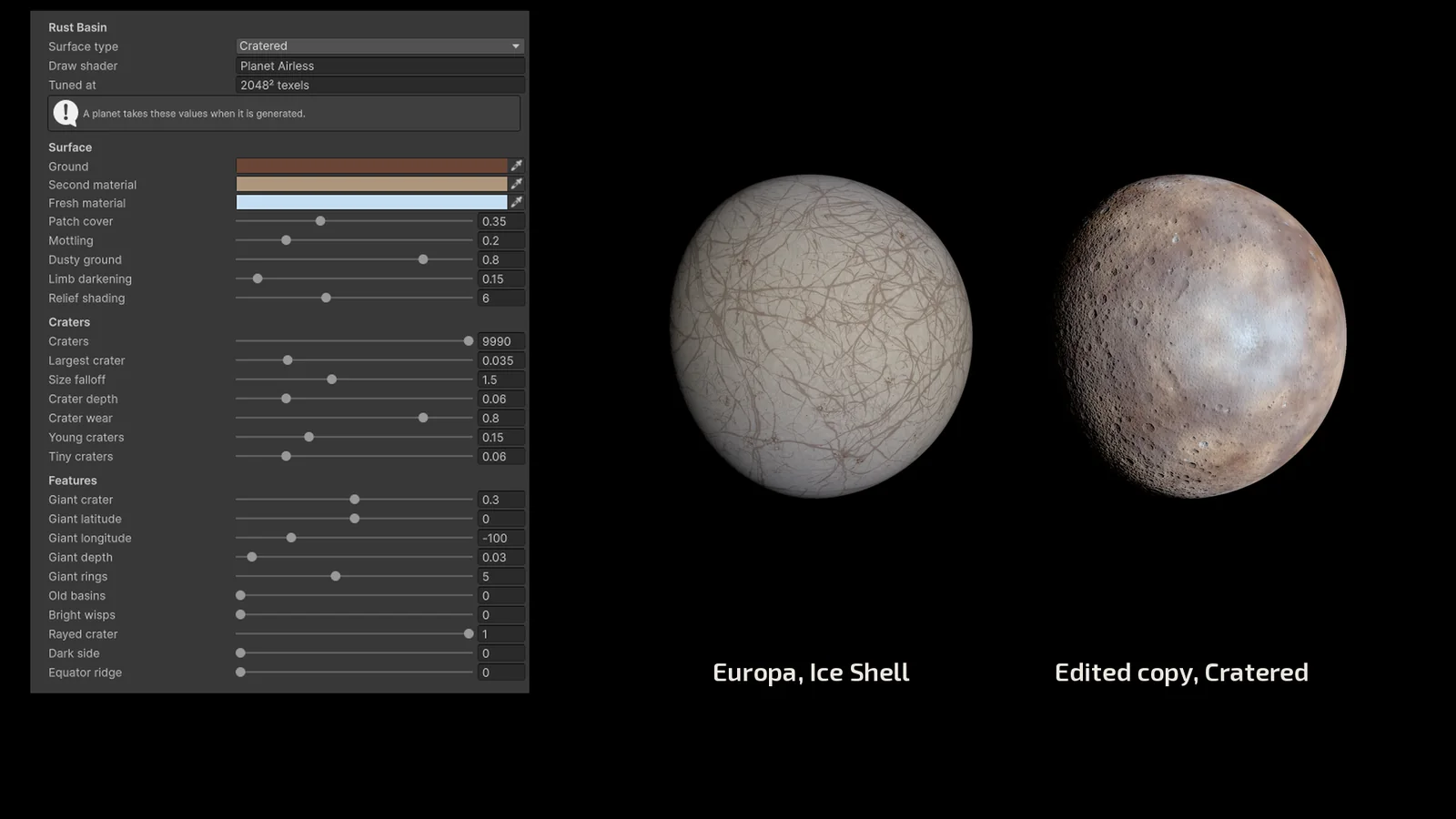
Procedural Planets generates planets and moons from a preset and a seed: continents and oceans, rivers, craters, an atmosphere that scatters the sun's light, clouds that move, and the ice cracks, vents and caps of twelve moons of the solar system. The preset sets the design of the type, the seed picks the body, and the surface is different for every seed; size, quality and cloud behaviour are set per planet. Presets are adjustable: every control in a preset's inspector can be changed, and a duplicated preset is a type of your own.
Generation runs in the editor or at runtime, in the background over several frames, with a progress value and cancellation. A generated planet can be stored as an asset in four sizes and then draws without generating anything. Each planet is a camera-facing quad on which the shader traces the sphere per pixel and writes its depth, so other objects sort correctly in front of and behind it.
The planets are made to be seen from space — as the worlds of a star system, a galaxy view or a fly-by. They are not meant for landing: the detail is set by the texture size you choose, and there is no terrain to walk on.
Planet types
Seven planet types as presets, and the twelve moons below. Each combines with any seed: the seed is any integer and every one gives a body of its own. Open one to turn it live in your browser, at Ultra.
Moons
Twelve moons of the solar system as presets. A moon is the same component as a planet, with a moon preset: same inspector, same code, same Bake to Asset. No clouds, no weather, no oceans or rivers; Titan keeps its haze. Duplicate a moon and change its surface type to make one of your own.
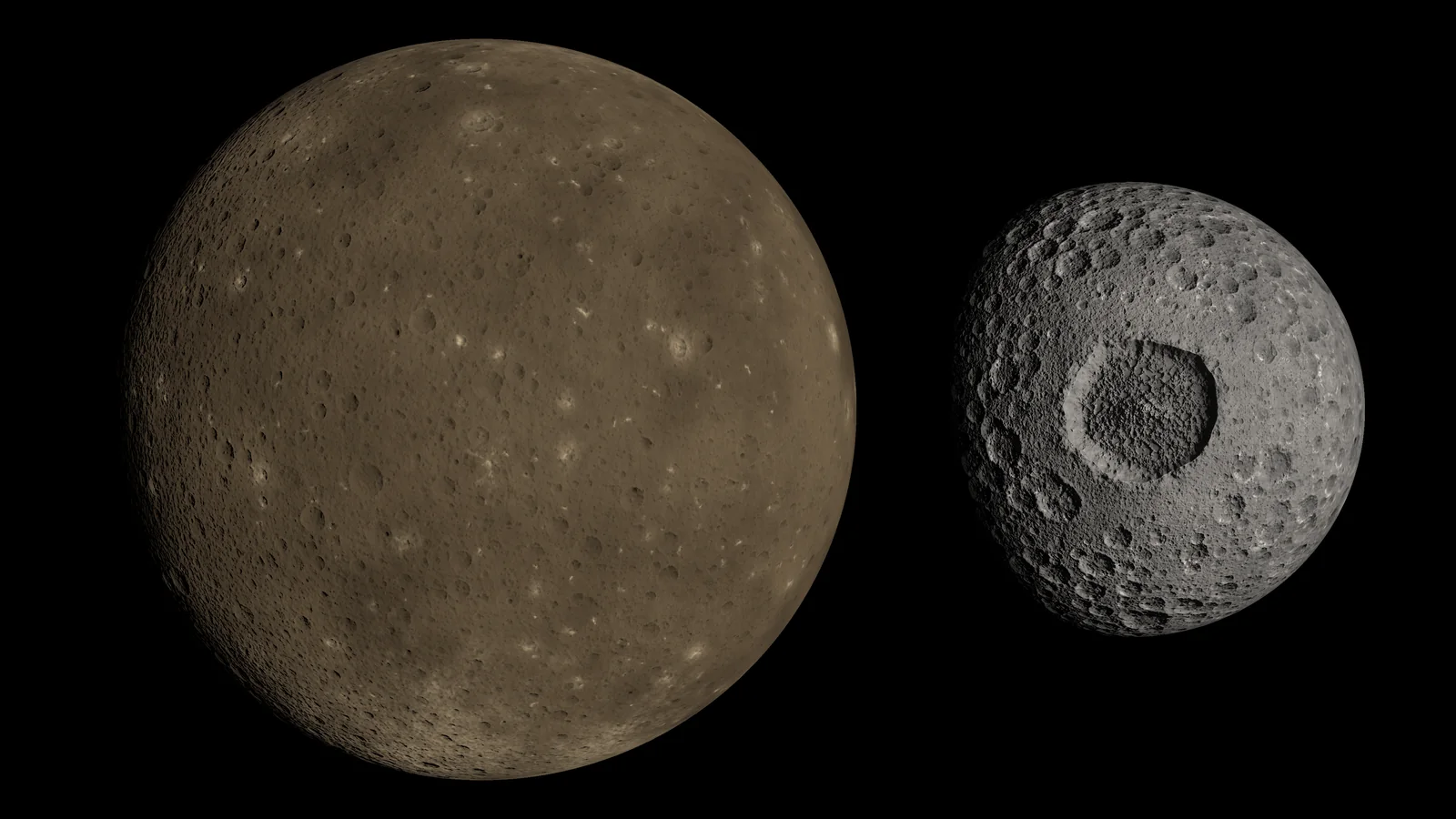
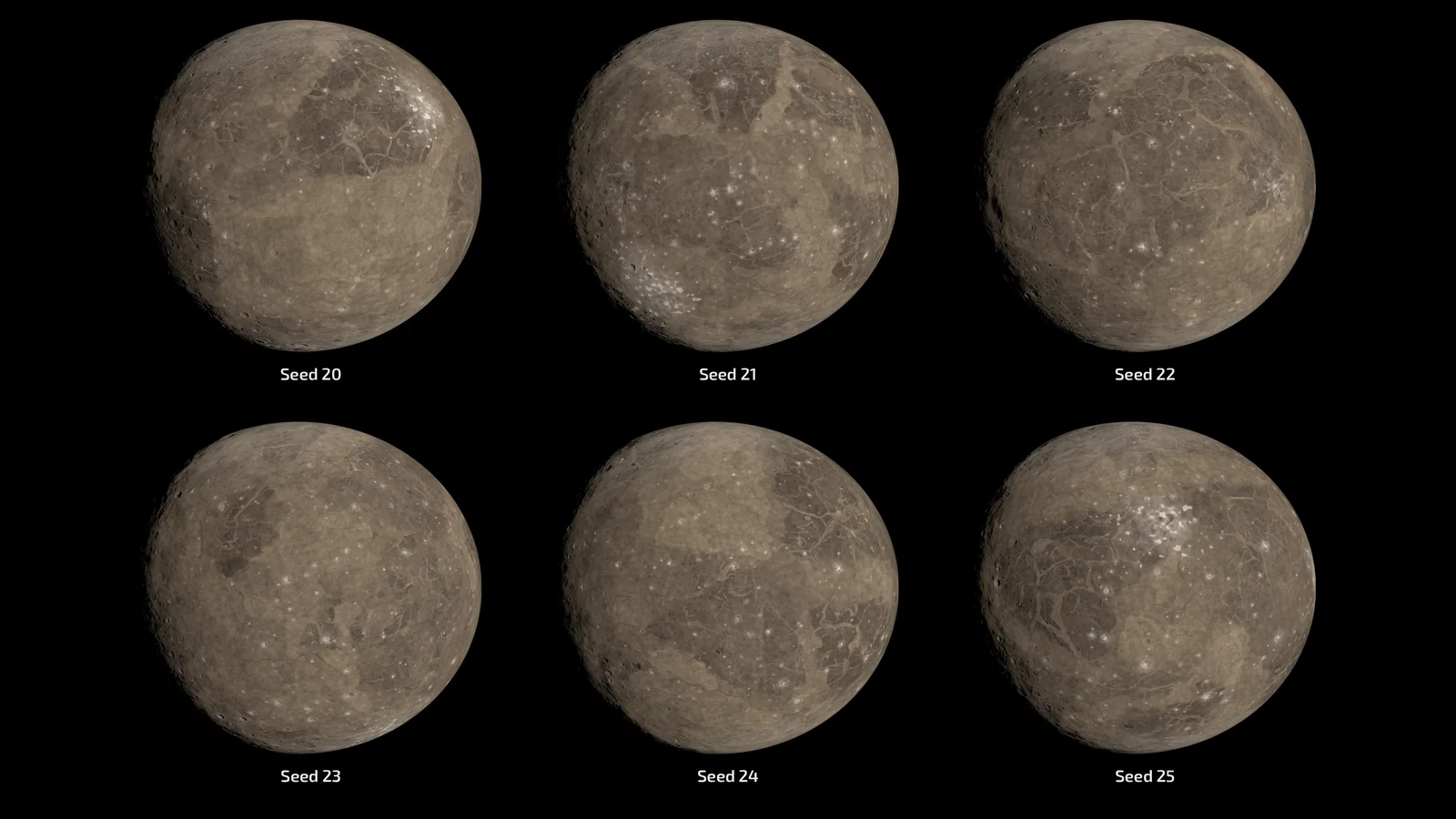
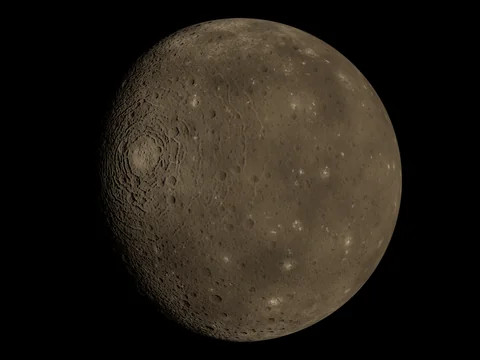 CallistoOld, dark ground covered with craters and a giant multi-ring basin.
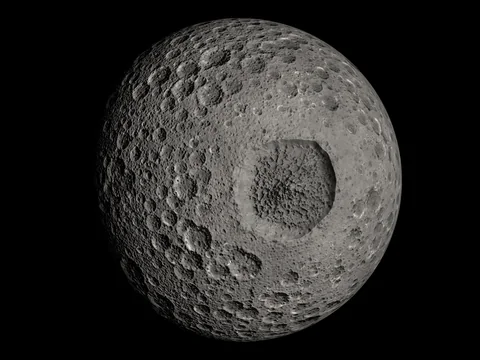 MimasGrey ground with one very large crater.
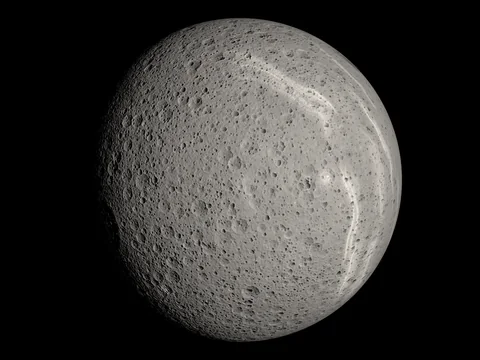 RheaBright, heavily cratered ground with pale streaks and rays.
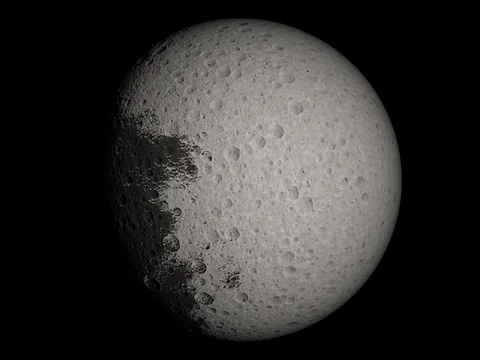 IapetusTwo-coloured: a dark side, a bright side, a ridge along the equator.
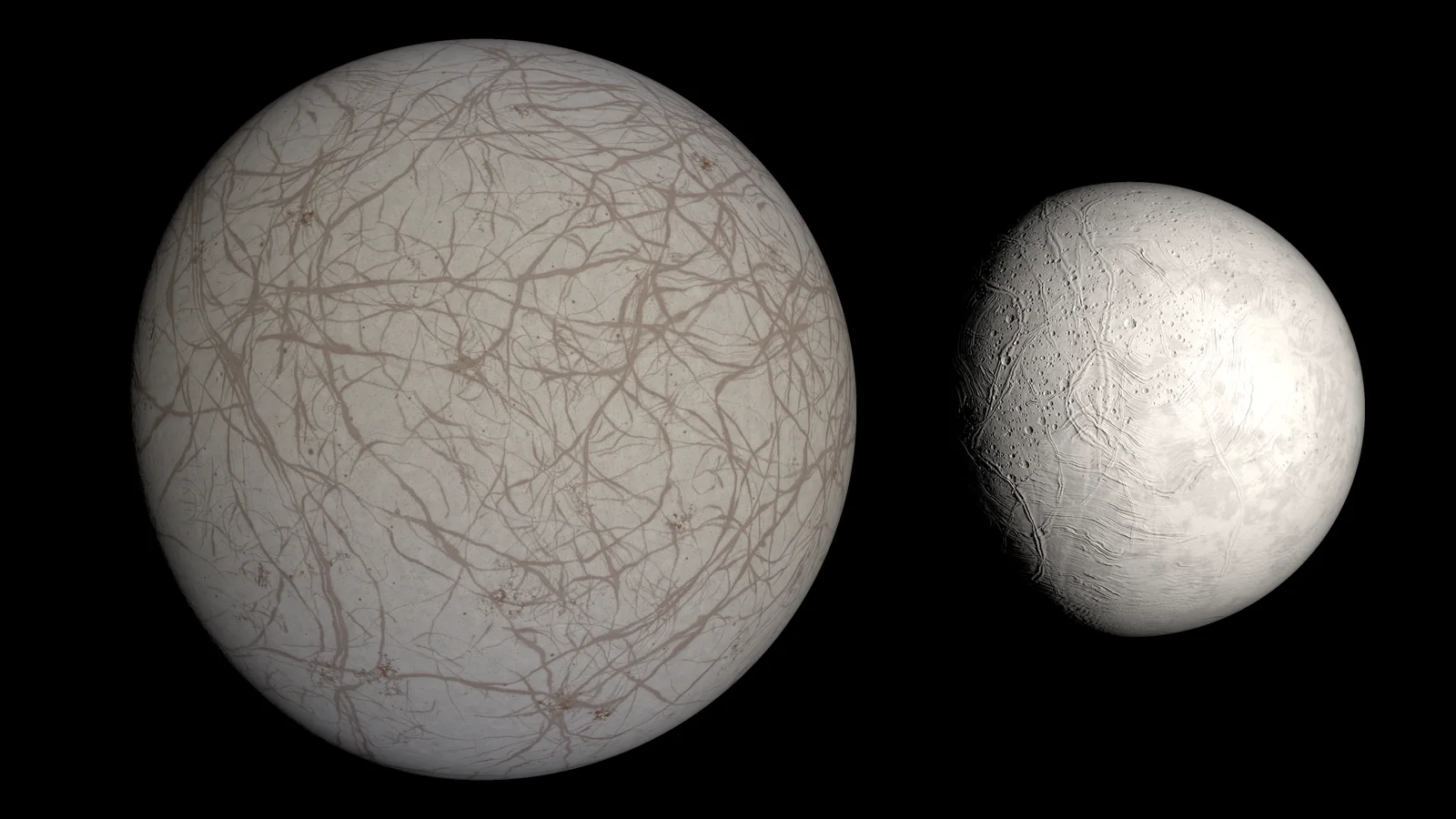
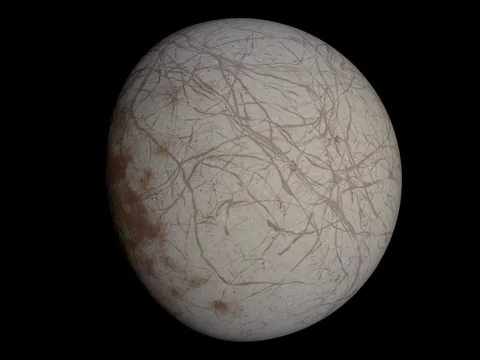 EuropaBright ice cut by a web of long lines.
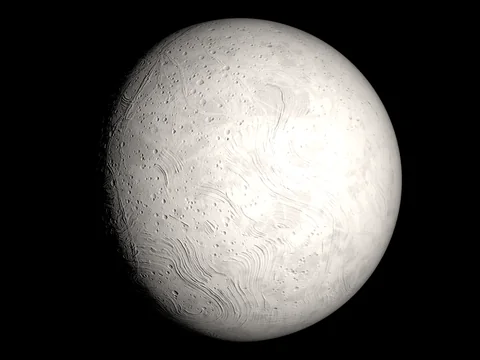 EnceladusVery bright ice with young plains and stripes at the south pole.
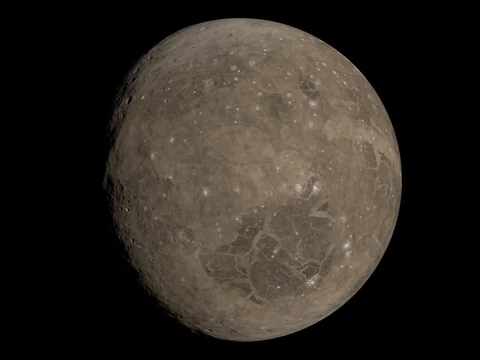 GanymedeOld dark ground beside younger grooved lanes.
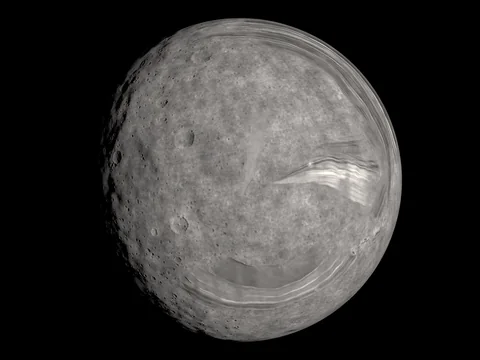 MirandaA patchwork of blocks with banded coronae and a great cliff.
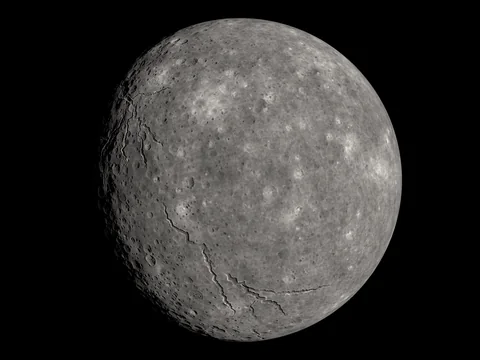 TitaniaCratered ground cut by long winding valleys.
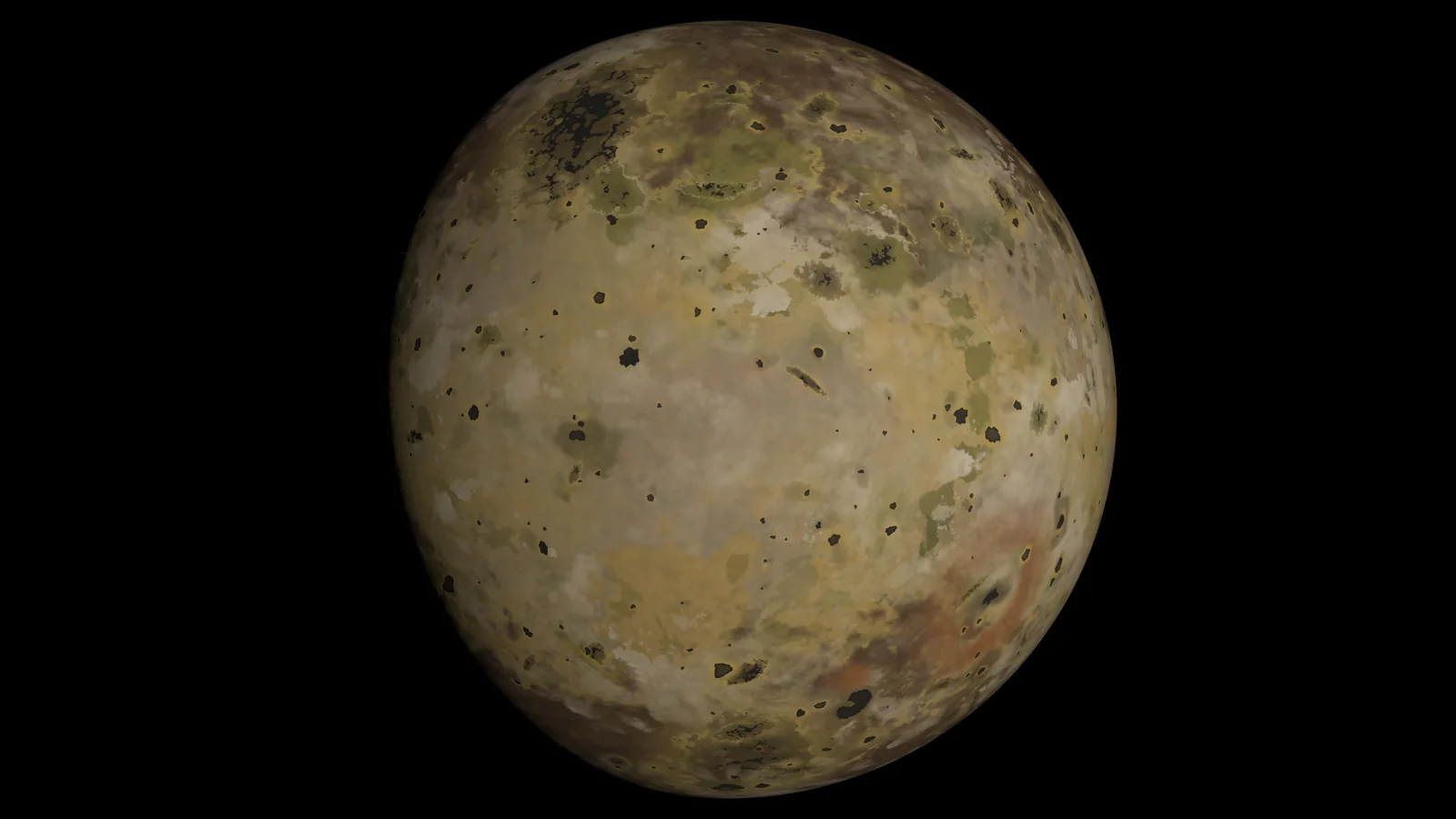
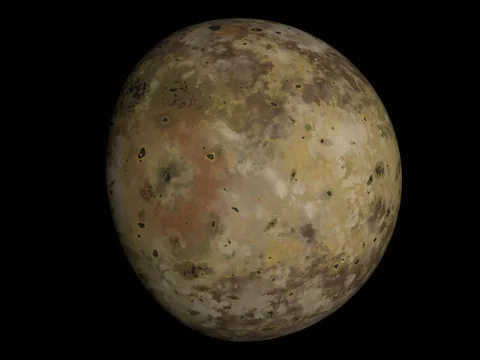 IoColourful plains, dark vents and large deposit rings.
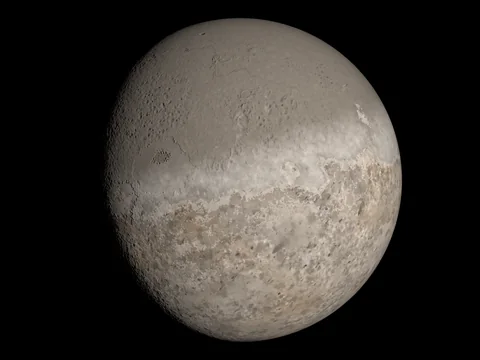 TritonA polar cap with dark plume streaks over cantaloupe terrain.
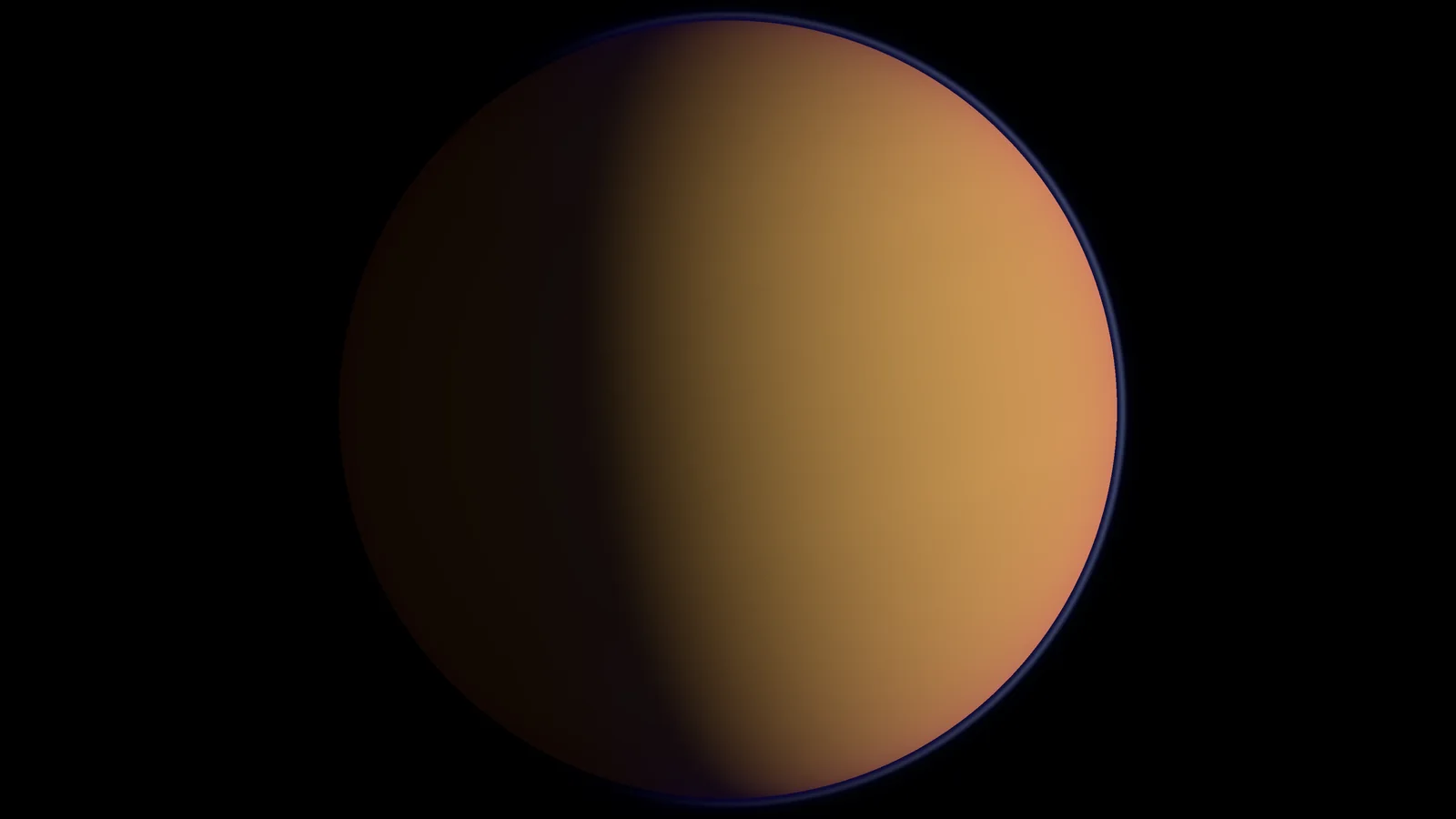
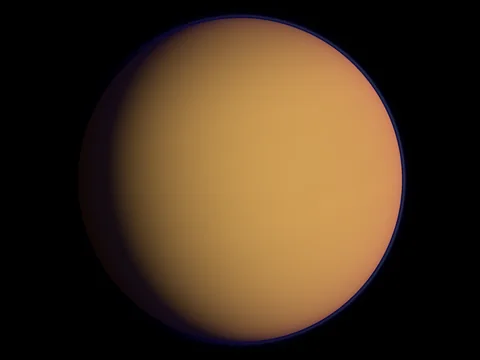 TitanAn opaque orange haze deck hides the ground.
Any seed
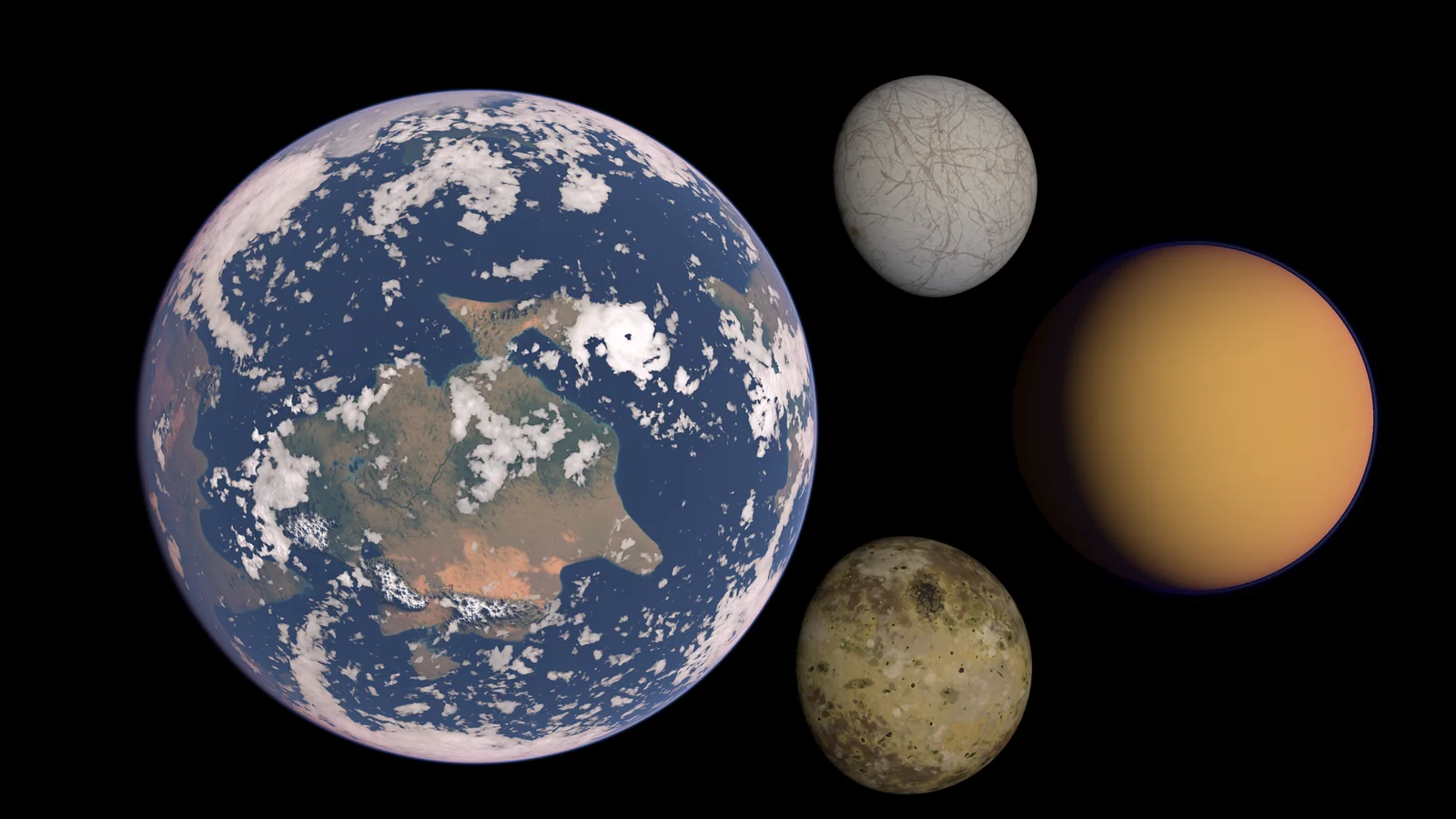
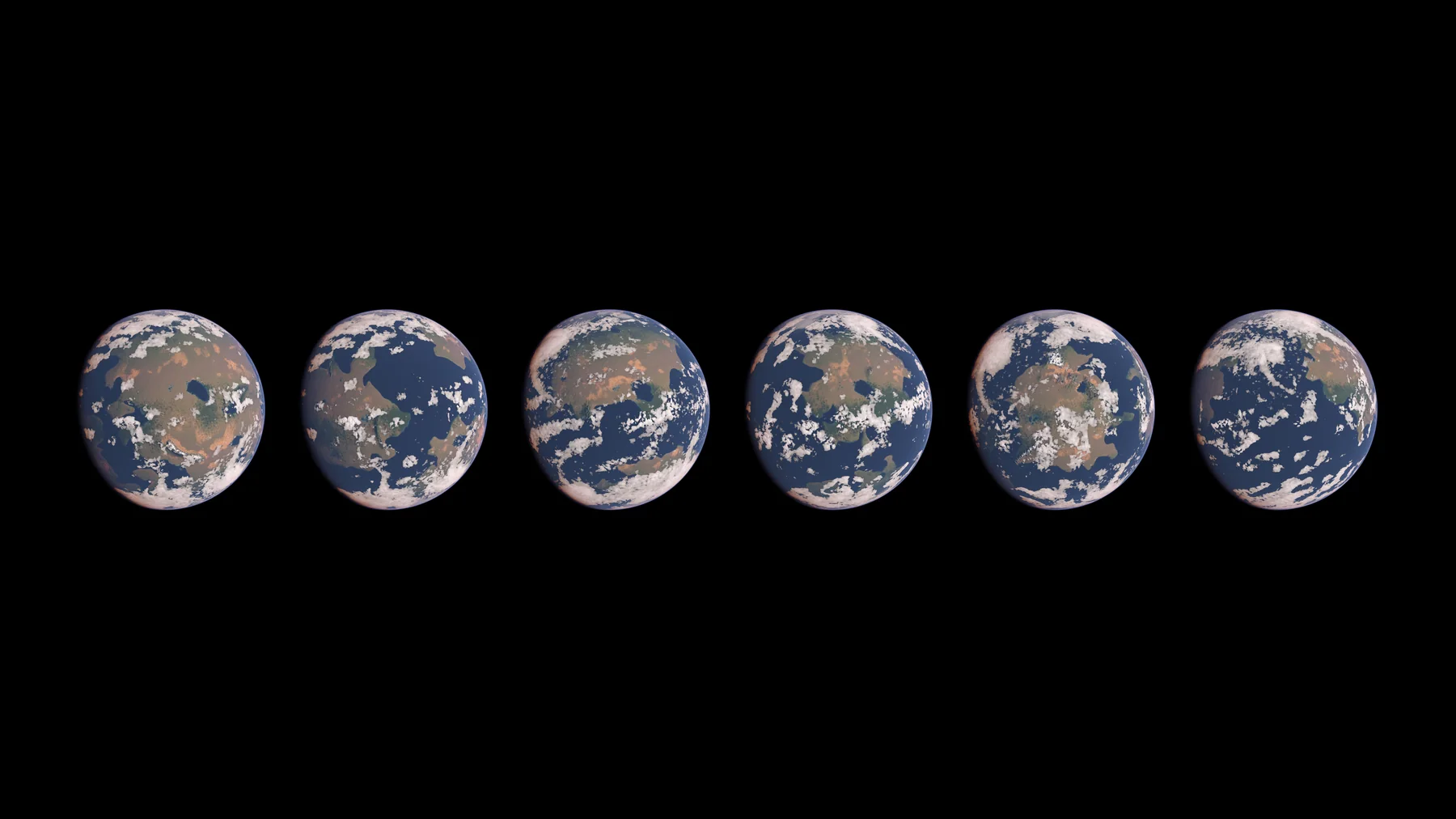
Every body is generated, not painted, and a preset only sets the design of a type, not a fixed surface or texture. The seed is any integer and each one gives a body of its own: a hundred different Earths that differ in continents, coasts and weather, or one moon with its craters and lines in other places. Press Randomize in the inspector, or pass a seed from script (C#, Blueprint and C++ in Unreal Engine). Presets are editable: change any control of a preset, or duplicate one to make a type of your own; for a moon, also by switching its surface type. On a moon the seed moves craters, lines, cracks and fields; features that mark the moon, such as Callisto's giant basin, come from the preset.
Generate and bake
Generate where it suits your game, or once in the editor.
Generate in the inspector
Preset, seed, size, Generate. Runs in the background; the editor stays usable.
Generate from code
One awaitable call, spread over frames within a GPU budget, with progress and cancellation.
Bake to Asset
Tick 256, 512, 1024 and 2048; one texture set per size is written to your project. A stored planet draws without generating.
Auto-generate
A planet from the menu generates itself when enabled and releases its textures when disabled, so it survives reloads and scene changes.
Close-ups
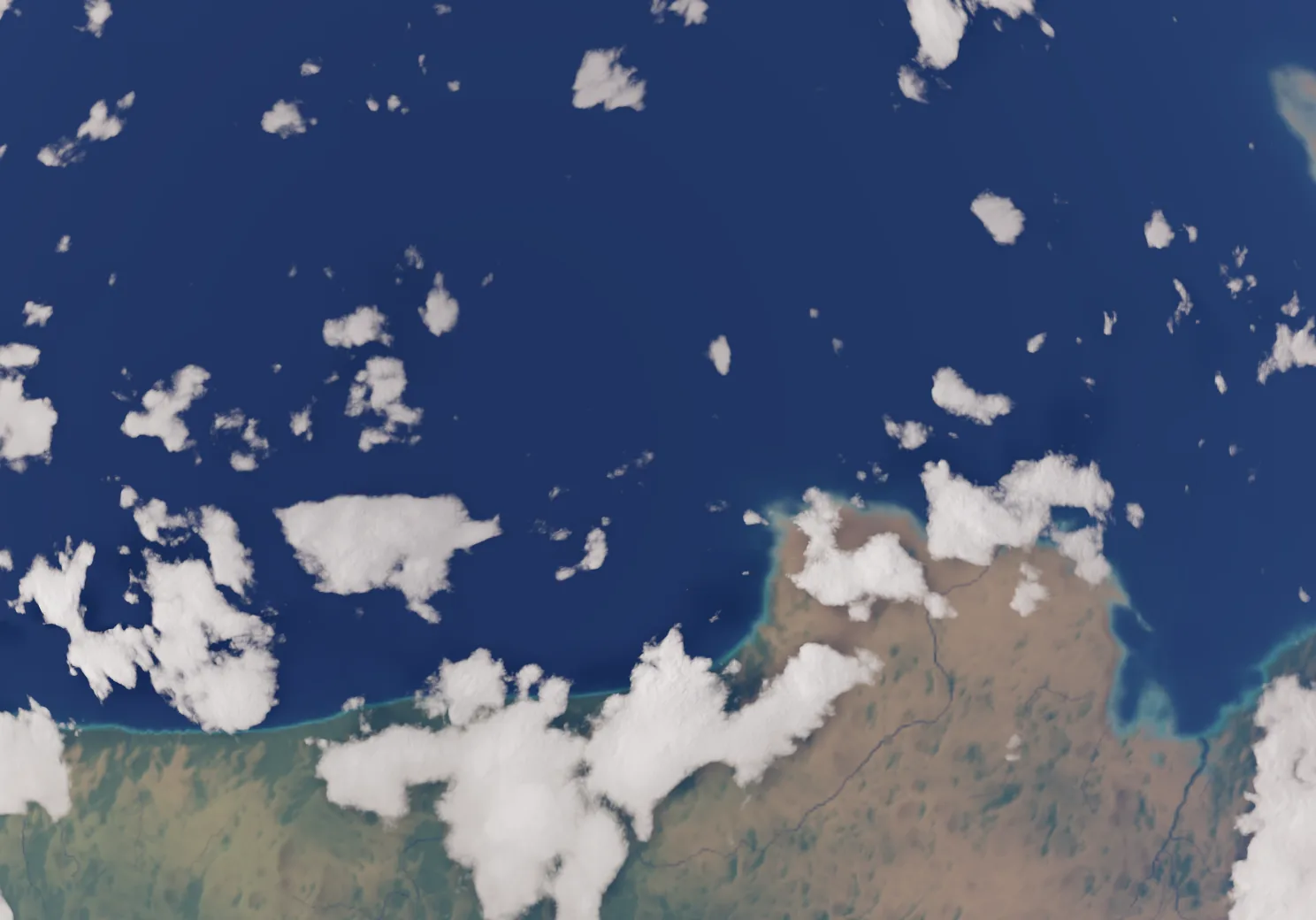
Nearer views of one planet, rendered by the package at Ultra with the largest texture size.
Quality levels
Choose per planet or project-wide. Distant planets can stay cheap while the planet in front gets the full look.
Loading Medium · 0.0 / 0.0 MB
Live preview needs WebGPU with texture compression, as desktop browsers have. Showing a pre-rendered image.
The preview stopped because the graphics device was reset.
The preview could not start.
Choose a level in the stage to measure it. Measured live while you look at the planet: GPU time where the browser reports it, otherwise the time between frames.
| Level | Clouds | Weather | Cloud detail up to | Download, with air* | Download, Moon* | On your device** |
|---|---|---|---|---|---|---|
| Minimal | simple path | frozen, turns with the planet | 256 | 16.1–26.2 MB | 14.3 MB | – |
| Lowdraws like Minimal here | simple path | frozen, turns with the planet | 512 | 16.1–26.2 MB | 14.3 MB | – |
| Medium | simple path | live | 512 | 16.1–26.2 MB | 14.3 MB | – |
| High | detailed path | live | 1024 | 18.6–32.5 MB | 14.3 MB | – |
| Ultradraws like High here | detailed path | live | 2048 | 18.6–32.5 MB | 14.3 MB | – |
* Compressed download of the live preview on this page for one planet at that level: the range over Earth, Ocean, Desert, Frost, Mars and Lava, and the airless Moon. In the preview the clouds drift over a baked weather state that does not change, and the levels below Medium and above High look the same in it. ** Measured on this device while the preview runs; a dash until you have looked at that level.
Weather
A weather simulation moves cloud systems and storms around the planet. It runs from Medium up; on Minimal and Low the cloud picture is frozen and turns with the planet. Set the cloud mode — Auto, Live or Static — per planet or for the project.
Live from Medium
Clouds drift, merge and form storms while you watch. Live weather needs compute shaders. The preview on this page always shows the frozen picture.
Frozen below
Minimal and Low keep the cloud picture and turn it with the planet; no compute work at run time.
Which types have clouds
Earth, Ocean, Desert and Mars. Frost, Lava, Moon and the twelve moons of the solar system have none.
Rendering
Planets draw like any object in the scene: no renderer feature, no custom pass and no pipeline mode.
Quad with true depth
A camera-facing quad covers the planet; the shader traces the sphere per pixel and writes its depth. Ships, moons and other geometry intersect and occlude it correctly.
Sun and shadows
A Planet Sun component marks the light and sets the angular radius of the sun's disc. Planets cast analytic sphere shadows on each other, up to four casters per planet (eclipses).
Exposure
In HDRP the planet follows the camera exposure and takes the sun's intensity in lux; a setting switches this off.
Unity and Unreal Engine
A Unity package and an Unreal Engine plugin with the same shader library, presets, types and quality levels.
Unity 6.3 LTS or newer
A package with the Planet and Planet Sun components, custom inspectors, 19 presets and a code API, for URP and HDRP. Planets baked in one pipeline draw in the other.
Unreal Engine 5.8
A code plugin with the Planet component and actor, a details panel with Bake To Asset, generation from Blueprint and C++, and sample levels.
How it works
- 01
A preset and a seed
The preset is the planet type; the seed is any integer. The same preset, seed and size give the same planet.
- 02
Generated in the background
Compute shaders and CPU generators build the surface, atmosphere tables and cloud data over several frames within a GPU budget. Store the result as an asset, or keep it in memory.
- 03
Drawn with true depth
A quad per planet; the shader traces the sphere per pixel, lights it from the sun and writes its depth.
Requirements
- Unity
- 6.3 LTS or newer
- Render pipeline (Unity)
- URP and HDRP
- Unreal Engine
- 5.8
- Graphics API
- Compute shaders for generating planets and live clouds: Direct3D 12, Vulkan or Metal. Stored planets draw without them. Direct3D 11 is not supported.
- GPU
- Compute shaders required to generate and for live clouds
- Planets per scene
- Any number; texture memory per planet depends on the size you choose
- Platforms tested
- Unity and Unreal Engine: Windows (Direct3D 12) and Linux (Vulkan), editor and player
Good to know
- Built for viewing from space; there is no landing and no camera inside the atmosphere.
- No gas giants, no rings, no orbits for the moons, no dedicated tuning editor for the generator (preset values are editable at your own risk), no built-in streaming and no disk cache: you decide when to generate, at what size and what stays in memory.
- The family: gas giants with rings are the separate product Procedural Gas Giants, black holes Procedural Black Hole, suns Procedural Stars.
- A planet generated at run time shows its surface once the generation is done.
- Not tested on mobile or WebGL. Direct3D 11 and macOS are not supported.
FAQ
Can I fly down to the surface?
No. The planets are designed for views from space. The detail is set by the texture size, 256 to 2048 per cube face; there is no terrain to walk on.
Which planets and moons are included?
19 presets: seven planet types (Earth, Ocean, Desert, Frost, Mars, Lava and Moon) and twelve moons of the solar system (Callisto, Mimas, Rhea, Iapetus, Europa, Enceladus, Ganymede, Miranda, Titania, Io, Triton and Titan), each with any seed. No gas giants and no rings.
Do moons have clouds or rivers?
No. A moon has no climate; eleven moons have no atmosphere, Titan has its haze deck.
Are the bodies fixed textures?
No. Every body is generated: the surface is different for every seed, and a preset only sets the design of a type.
Can I change a preset or make my own?
Yes. Every control in a preset’s inspector can be changed and a duplicated preset is a new type; for a moon, change its surface type or its controls. Then generate again. There is no dedicated tuning editor, so extreme values can give a plain surface.
Does generating a planet stall my game?
Generation runs in the background, spread over frames within a GPU time budget you set, with progress and cancellation.
Can I avoid generating at run time?
Yes. Bake planets to assets in the editor and load them; a stored planet draws without generating anything.
How much memory does a planet use?
It depends on the texture size you choose. The editor shows the memory for each size before you generate.
Does the same seed always give the same planet?
Yes: preset, seed and size decide the planet. Tiny floating-point differences between graphics APIs or drivers can change single texels; the look is the same.
Do I need a renderer feature or custom pass?
No. A planet draws like any object in the scene. There is no pipeline mode.
Which render pipelines are supported?
Unity: both URP and HDRP. Unreal Engine: the default deferred renderer. The tested versions and graphics APIs are listed under Requirements.
Do I get Unity and Unreal Engine with one purchase?
Yes: the Fab listing has a Unity package and an Unreal Engine plugin, with the same types, parameters and version number. The Unity Asset Store sells the Unity package only.
Does it run on Windows?
Yes. Windows with Direct3D 12 and Linux with Vulkan are tested, in Unity and in Unreal Engine.